 |
 |
|
|
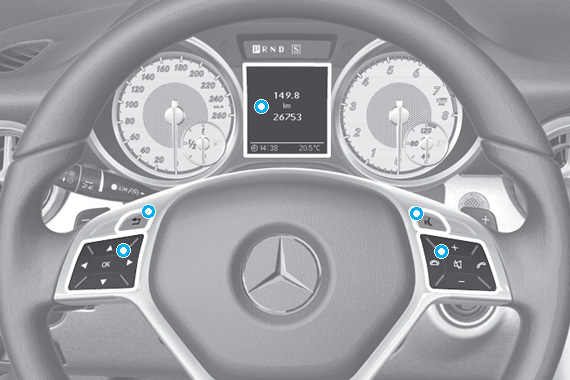
| Multifunction display |
| Details |
  |
Call up menu bar and select menu |
  |
Press briefly to: Select submenus or scroll through lists In the Audio menu: select a stored station, audio track or video scene In the Telephone menu: switch to the phone book and select a name or telephone number Hold down to: In the Audio menu: select the previous/next station, use the quick scroll function to select an audio track or video scene In the Telephone menu: start the telephone book rapid scroll function |
 |
Confirms your selections and display messages In the Telephone menu: switch to the phone book and start dialling. In the Audio menu: stop station search at a desired station. |
 |
Rejects or ends a call Exits the phone book/redial memory |
 |
Makes or accepts a call Switches to redial memory |
  |
Adjusts the volume |
 |
Mutes |
 |
Press briefly to: Go back Deactivate LINGUATRONIC Hide display messages or recall the last used function of the Trip menu Hold down to: Call up the standard display in the Trip menu |
 |
Activates LINGUATRONIC |
|
 |
 |
|
|